NEW Now on the App Store for iPhone

Stop doing your books at tax time.

CrehzTracker keeps the books for people who work for themselves. Snap a receipt, tap to pay, or just say it — expenses, income, mileage, 1099s and a running tax estimate, kept as it happens.

Musicians & artistsFreelancersConsultantsSmall business
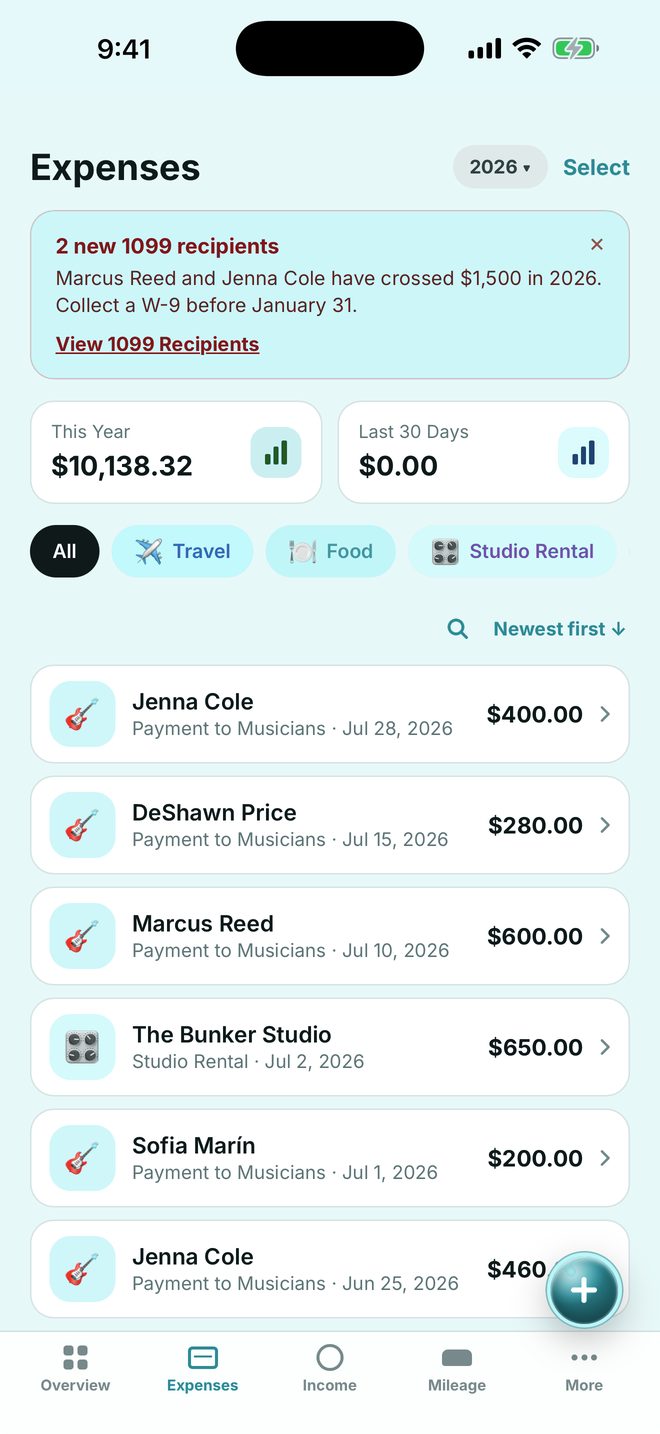
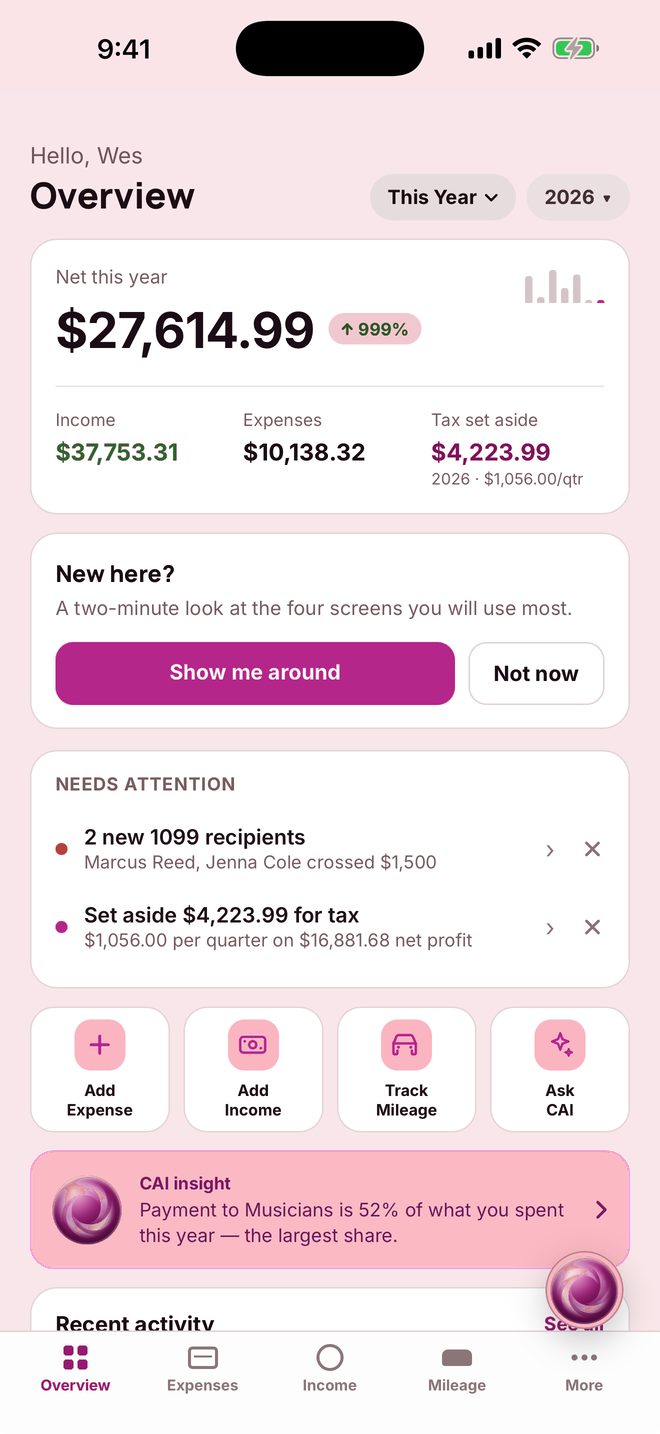
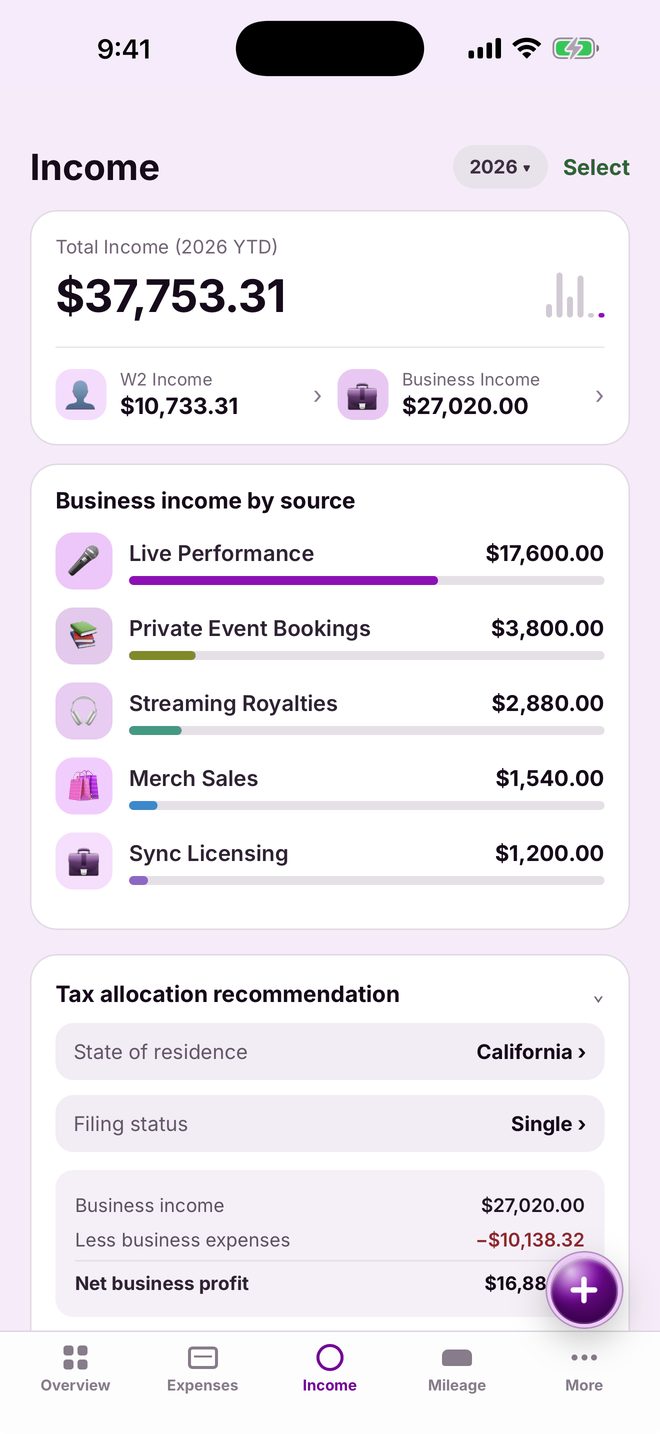
Overview: net income, expenses and tax set aside for the year Expenses list by category Income by source
📷
Receipt scannedGuitar Center · just now
Strings, cables$184.20
Equipment & gear
Apple PayLogged before you left the register
Sweetwater Studio$62.00
Tax set aside · 2026
$1,056/qtr
on $16,881 net profit
CAIasked out loud

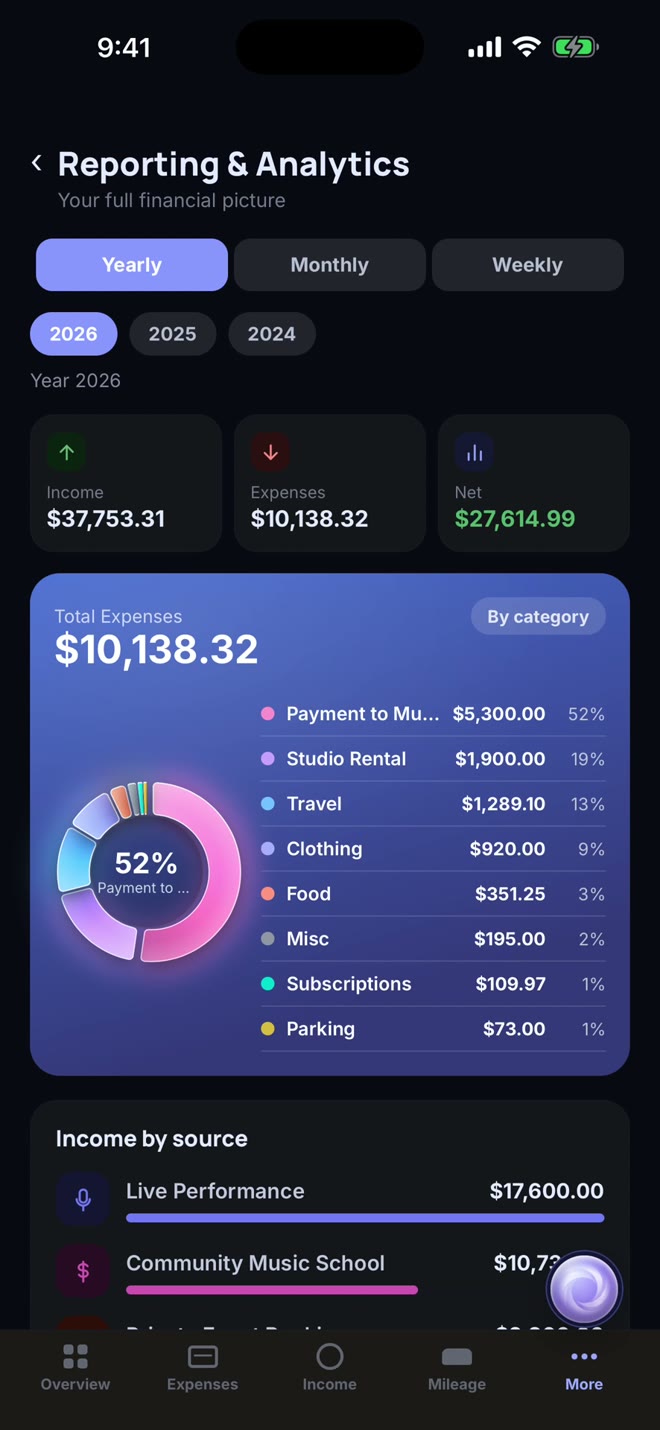
Payment to Musicians is 52% of what you spent this year — the largest share.

Scan

Snap a receipt. It reads itself.

Point the camera at a receipt and the vendor, amount, date and category are filled in for you — the category chosen from your own history, not a guess.

Emailed receipts work too. Forward one to your own CrehzTracker address and it lands in your Receipt Inbox, read and ready to file.

Check it on the receipt that comes up, then save.

Get CrehzTracker free
✉
Receipt Inbox
Forwarded · just now
Guitar Center$184.20
Equipment & gear
Expenses screen with scanned receipts filed by category
Tap to pay

Pay with Apple Pay. The entry writes itself.

Build one Shortcuts automation, once, in about two minutes. After that, every Apple Pay purchase is logged before you have left the register — merchant tidied, category chosen.

The steps are inside the app, under Settings › Money › Tap to pay.

Get CrehzTracker free
Apple Pay
Logged by CrehzTracker
Sweetwater Studio$62.00
Studio rental
Tax set aside2026
$1,056.00per quarter
Overview screen
Say it

Double-tap the title. Just say it.

“Chipotle, fourteen fifty, lunch with the band.” Double-tap Expenses or Income at the top of the page, speak, and it is filed. Triple-tap to write it with a finger instead.

And ask CAI, the assistant behind the orb, about your own books — out loud or typed. It answers from your numbers and points out what needs attention.

Get CrehzTracker free
🎙
Listening…
Double-tapped “Expenses”
“Chipotle, fourteen fifty, lunch with the band.”
Income by source with the tax allocation recommendation
Mileage

Drive to the gig. The miles count themselves.

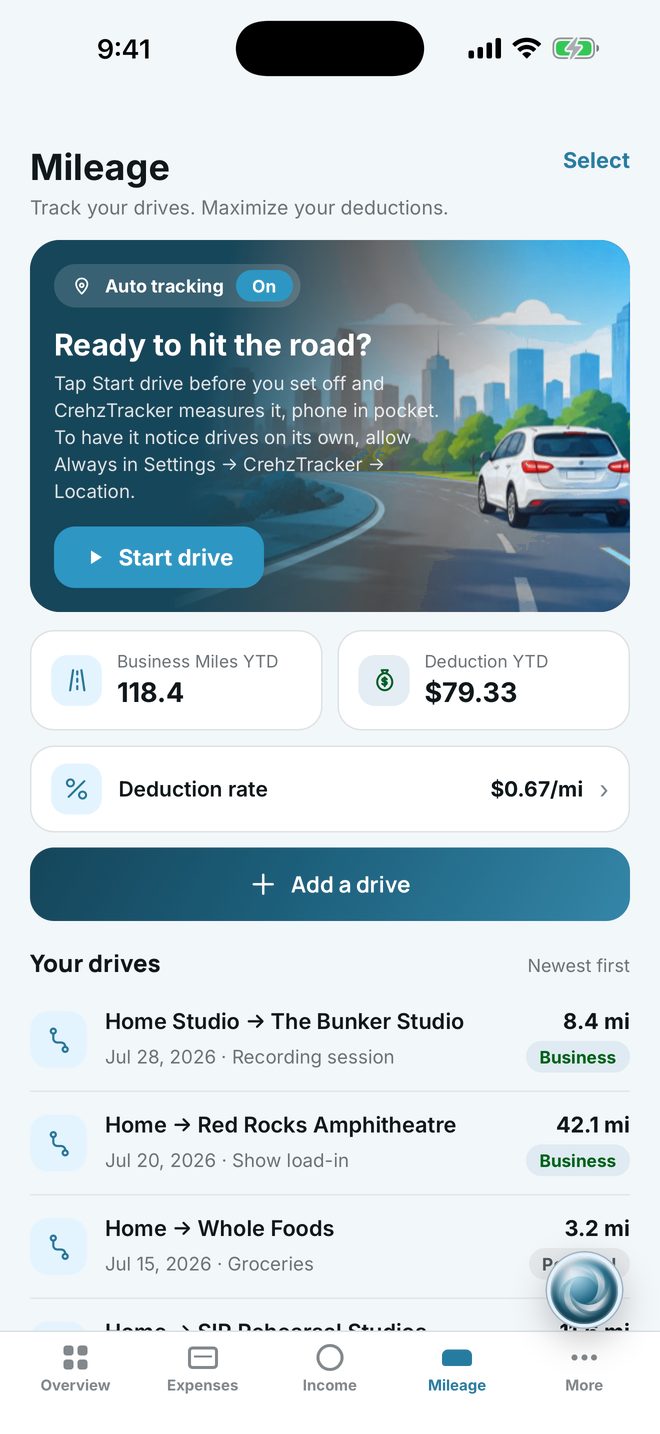
Turn on Auto tracking and drives are detected and measured, with the deduction worked out at the current rate. Mark a trip business or personal with one tap, or add one by hand.

Location is only used for this, and only if you switch it on.

Get CrehzTracker free
Mileage screen with detected drives and deduction
Capture

Six ways in. One receipt.

Bookkeeping apps make you fill out forms. CrehzTracker takes it the way it happens.

Snap

Photograph a receipt. Vendor, amount, date and category, read for you.

Forward

Send an emailed receipt or invoice to your own address. It files itself.

Tap

Pay with Apple Pay and a Shortcuts automation logs it at the register.

Say

Double-tap a page title and speak it.

“Gas, forty-two ten, drive to the venue.”

Write

Triple-tap and write it with a finger on the pad.

Type

Or tap + and type. The category is already chosen from your history.

Every way in lands on the same receipt — check it, save it, done.

All year

Know where you stand, before April does.

Net income, cash flow, what to put away for tax and who needs a 1099 — on one phone, kept current as you go.

Overview Income and tax allocation 1099 recipients Home office deduction Reporting and analytics
Billable hours & invoicesStart a timer, stop it, raise a numbered invoice with your own services and rates.
BudgetPaychecks, recurring bills and savings goals, with a ring for the month at a glance.
ProfilesMusician & Artist, Consulting and Business, or Personal — separate books or one shared set.
Sync & offlineYour books on every device you sign in to, and it keeps working with no signal.
Try it

Don't take our word for it.

The app runs right here in your browser, on a set of sample books. Pick something to try — it scrolls you to the phone.

Simulator

The real app, in a browser.

Everything you tap here is the same code that ships on the phone, running on sample books that live only in your browser. Nothing is sent anywhere.

Palette

Appearance

Tip: double-click Expenses or Income at the top of its page to see the dictation sheet; triple-click for the pad.

What needs the phone: the camera, dictation, the handwriting pad, Apple Pay taps and syncing. Everything else works.

9:41
Loading the app…
Made to live on your phone

Seven palettes. Light and dark.

Make it yours, with adjustable text size too. Here it is in Periwinkle — flip it.

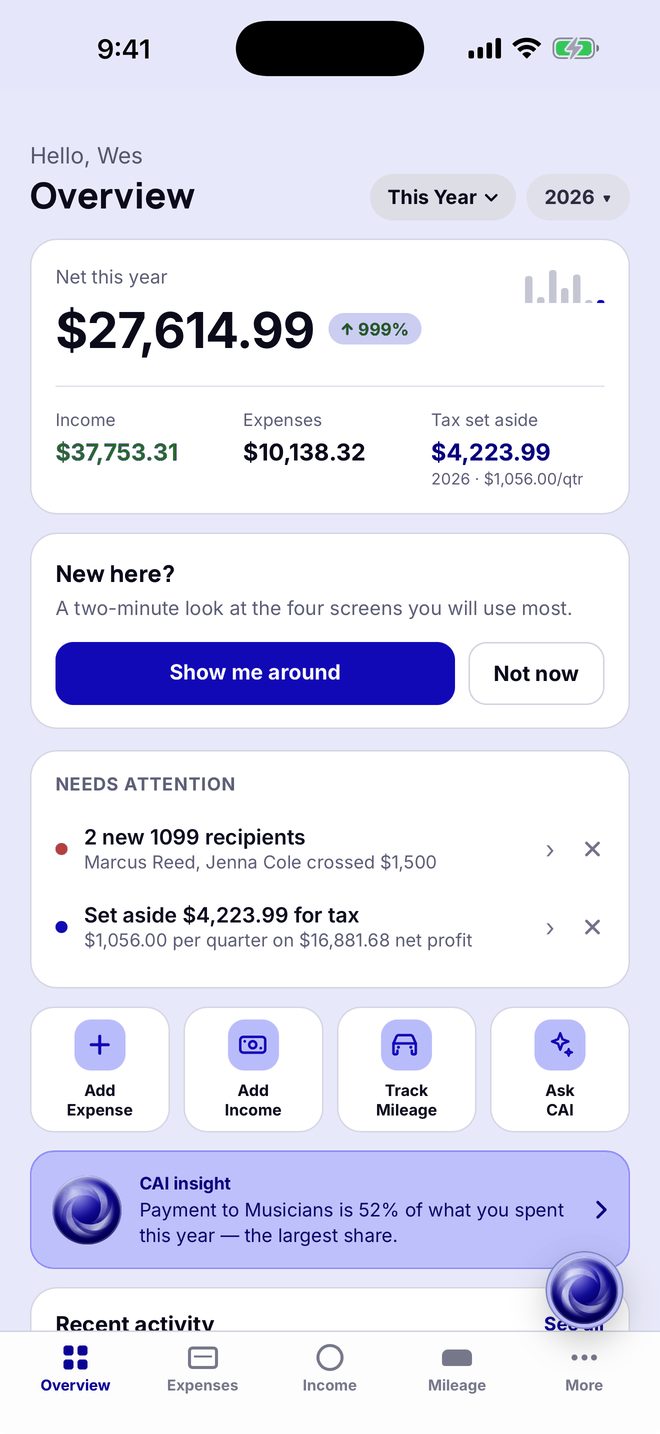
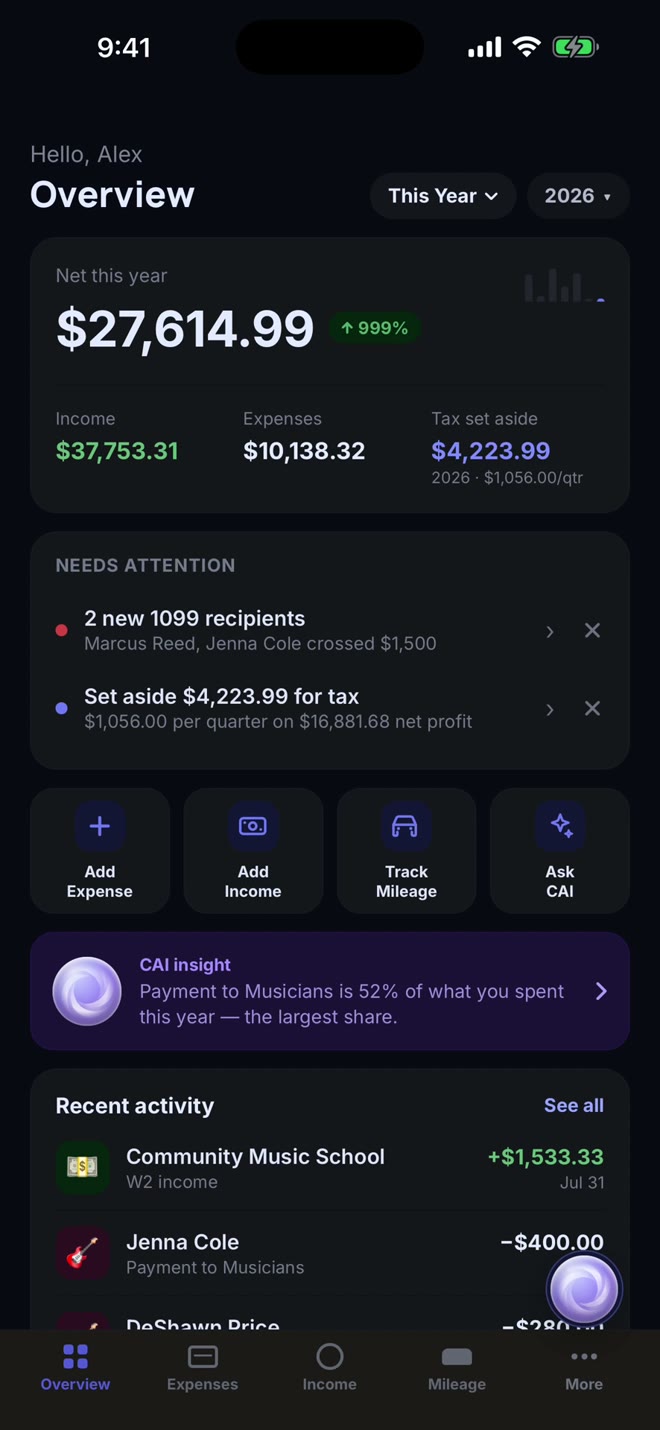
Overview in Periwinkle, dark modeOverview in Periwinkle, light mode
Overview
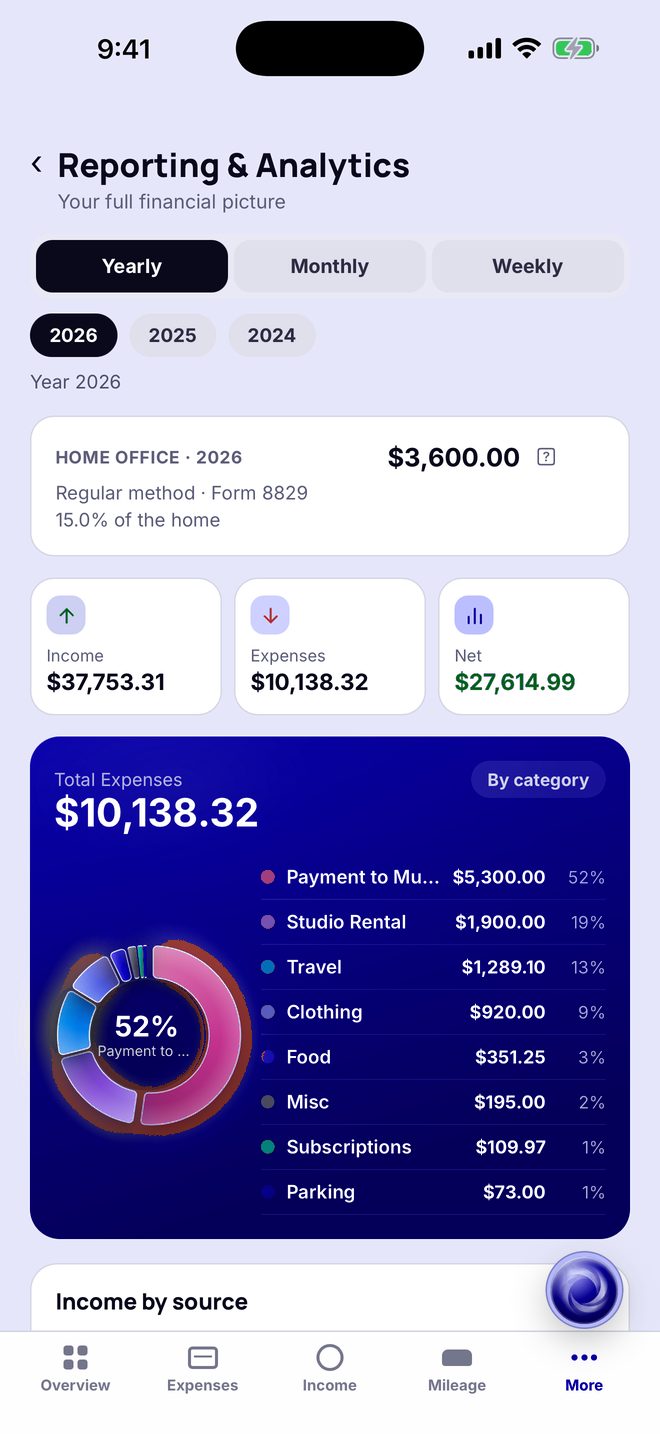
Reporting & Analytics in Periwinkle, dark modeReporting & Analytics in Periwinkle, light mode
Reporting & Analytics
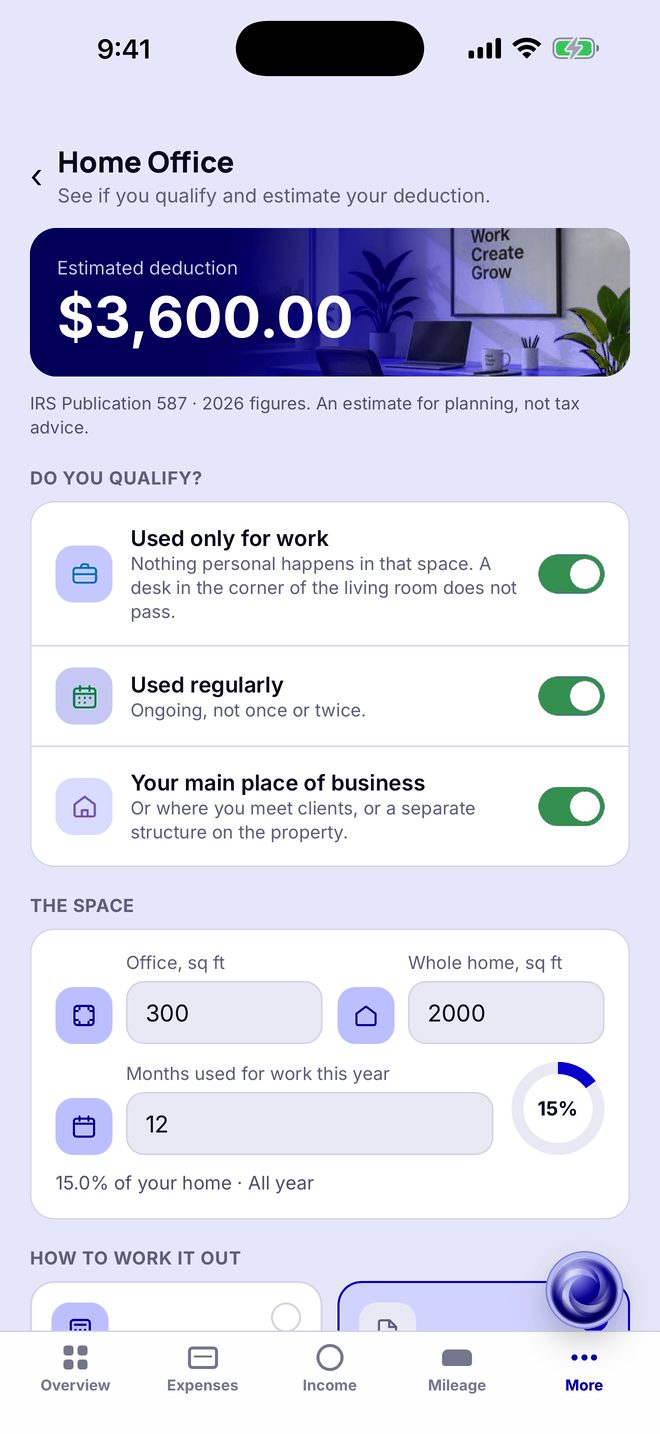
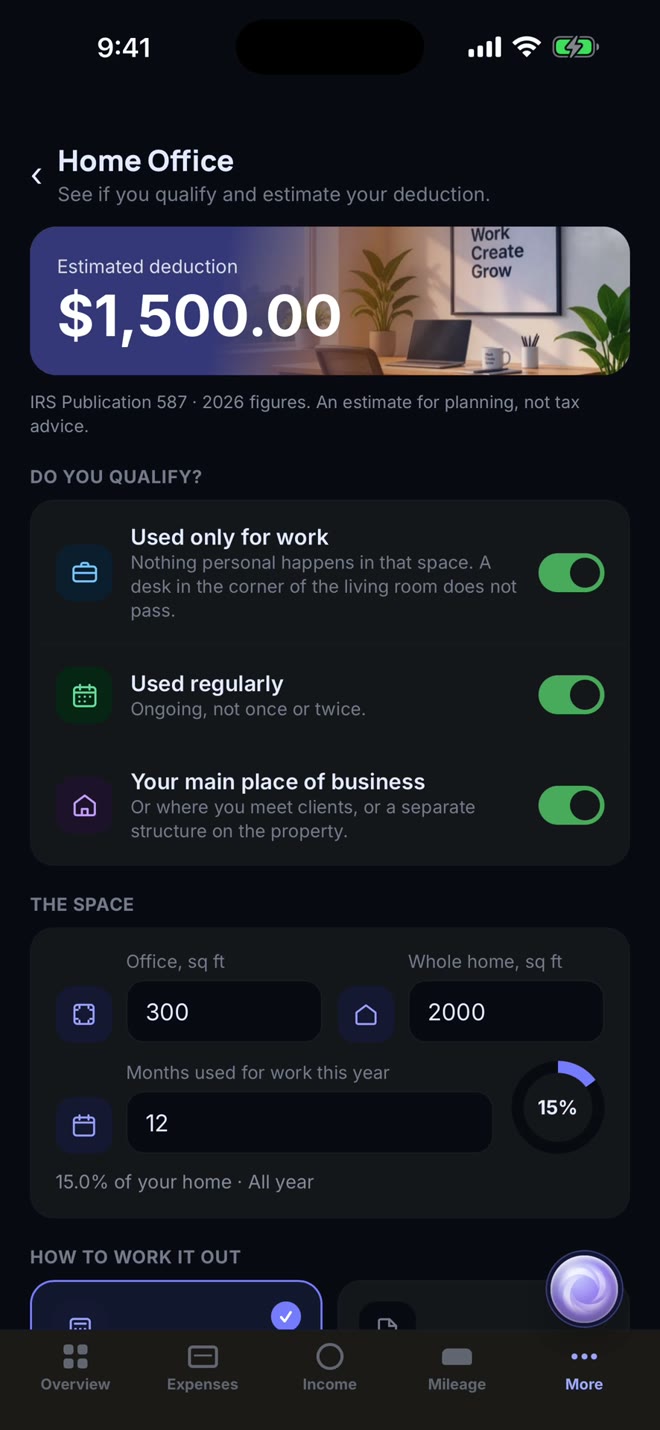
Home office deduction in Periwinkle, dark modeHome office deduction in Periwinkle, light mode
The home office deduction
Warm SandBlushLagoonVioletPeriwinkleChampagneArctic Blue
Why CrehzTracker

Not a spreadsheet. Not a shoebox.

The usual ways of keeping self-employed books all leave the work for later. This one does it now.

The usual way
  • ✕
    Receipts pile upA shoebox, a camera roll, an inbox — sorted out the week taxes are due.
  • ✕
    Miles are guessedReconstructed from a calendar months later, or not claimed at all.
  • ✕
    Tax is a surpriseNobody says what to set aside until the bill arrives.
  • ✕
    1099s in a panicWorking out in January who crossed the threshold last year.
CrehzTracker
  • ✓
    Filed as it happensScan, forward, tap, say or write — logged in seconds, categorised for you.
  • ✓
    Drives count themselvesAutomatic detection with the deduction worked out.
  • ✓
    A running tax estimateWhat to put away each quarter, from your real profit.
  • ✓
    1099s tracked all yearEveryone you pay, measured against the threshold as you go.
Pricing

Free. All of it.

Every feature is included at launch — no trial clock, no card.

$0 to start

Sign in with Apple or with your email and a 6-digit code. No password to remember.

Download free
  • Receipt scanning and email forwarding
  • Tap to pay, voice and handwriting entry
  • Income, mileage, home office and 1099s
  • Tax set-aside estimate
  • Billable hours and invoices
  • CAI, your assistant
  • PDF, CSV and Excel export
  • Sync across your devices
FAQ

Questions, answered.

Who is CrehzTracker for?

People who work for themselves: musicians and artists, freelancers, consultants and small business owners. Pick a profile — Musician & Artist, Consulting and Business, or Personal — and keep separate books per profile or one shared set.

Is it really free?

Yes. Every feature is free at launch, and there is nothing to cancel.

Do I have to link my bank?

No. CrehzTracker never asks for a bank login. Entries come from what you scan, forward, tap, say, write or type.

How does tap to pay work?

A purchase made with Apple Pay is logged by a Shortcuts automation you set up once on your own phone — it takes about two minutes, and the steps are in Settings › Money › Tap to pay. Apple does not let apps ship a personal automation, so this is the one thing you set up by hand. Some card issuers never trigger it; those purchases can be scanned or dictated instead.

What happens to my data?

Your books are stored on our servers so they survive a lost phone and reach your other devices. Receipt text is sent to Anthropic to be read, and the assistant’s questions go there with your ledger — only after you allow AI data sharing. We do not sell data, use it for advertising, or track you across other apps. Everything is in the privacy policy.

Can I delete everything?

Yes, from inside the app: Settings › Account › Delete account removes your account, every entry and every receipt image from our servers, and clears the phone.

Is this tax advice?

No. CrehzTracker gives estimates for planning. Confirm figures with a tax professional before filing.

Does it work offline? On Android?

It works offline and catches up when it is back online. It is an iPhone app; there is no Android version.

Something else? Visit support or email info@crehztracker.com.

CrehzTracker app icon

Your books, kept as it happens.

Set up in a minute. Sign in with Apple or your email — no password, no card.

Download on theApp Store